Download kr8
kr8 is a workspace where creative teams and AI agents share spaces, a canvas and their tools. It is an invite-only preview from Ascent Strategy. Installed copies update themselves from this page's feeds.
Windows
Checking the latest version…
Download for Windows
Android
Checking the latest version…
Download the APK
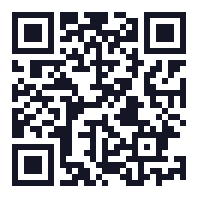 On your computer? Scan this with your phone's camera to open this page on the phone.
Install on Android
- If you installed an earlier kr8 test build, uninstall it first (long-press the app → Uninstall). It was signed with a different key, so Android won't update over it. You only do this once.
- Tap Download the APK above. When the download finishes, open it.
- If Android asks, allow your browser to install unknown apps, then go back and tap Install.
- Open kr8 and choose Scan a QR code, then on your computer open kr8 → Settings → Mobile and scan the code it shows. Check that the six-digit numbers match on both screens.
- From then on kr8 offers updates itself: Settings → Updates on the phone.
Preview builds. The Windows installer is not code-signed yet, so Windows may show
“Windows protected your PC”. Choose More info → Run anyway only after checking the file's
SHA-256 against the one listed here. The Android app installs outside the Play Store: your phone will ask
you to allow installs from your browser once.
After installing
- Open kr8 on your computer and join your community with the invite you were given.
- On your phone, open kr8 and pair it from Settings → Mobile on the computer.
- Both apps check this page for updates and offer them inside the app.